
What You Should Know About the Center’s Warning Against Using WhatsApp Web for Confidential Work?

Full Story
In a standard cybersecurity alert, the Indian government has advised consumers to refrain from communicating privileged, monetary, and various other personal information via WhatsApp Web, particularly when using sharing or publicly accessible computers. The warning emphasizes the dangers of keeping a user account open on a gadget that other individuals might be able to gain access to.
The Union Ministry of Home Affairs’ Indian Cyber Crime Coordination Center (I4C) and its National Cybercrime Threat Analytics Unit published the notification. The warning states that hackers may abuse an active WhatsApp Web session to obtain the account of a user without authorization.
Also Read

Can Language Challenges in India Be Overcome by Machine Learning? BHASHINI Connects Linguistic Innovation with Medical Practices
AI/Tech
Instagram’s Shifting Algorithms: Who Chooses What India Views Online?
Tech Updates
Jio Offering Free Recharge on Select Plans: How to Claim Buy One Get One Free Deal
Tech Updates
Jio’s ₹10,000 Three-Year Recharge Plan: A Unique Type of Digital Lock-In or Comfort for Customers?
Tech Updates
Claude Heads to India: Why Country-Based AI Analysis is Important
AI News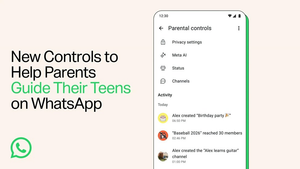
WhatsApp’s Latest Controls Make Teens More Secure: What They Mean for Families
AI/TechHow Can a Protection Risk Arise from an Active WhatsApp Web Conversation?
By connecting their profiles to their smartphones, WhatsApp Web enables consumers to view messages they have sent via a PC window. This function facilitates exchange of information, however, when customers use sharing or unknown devices for accessing it, problems with security may arise.
Hackers may abuse a running account to view confidential messages, post messages while posing as a legitimate user, access public contact lists, and observe group chats, according to a warning from the I4C. Spam, committing fraud, and manipulation of society are some possible uses for this kind of access.
For instance, somebody might send fake notifications to the individual’s friends if they manage to enter an anonymous WhatsApp Web session. Because the communications seem to be from a well-known legitimate account, receivers can believe them and unintentionally give funds or confidential information.
Why It’s Not Enough to Close the Browser
Logging out of WhatsApp Web constitutes one of the key issues in the governing body’s guidance.
A lot of users believe that when they close a tab or window in their internet browser, their current session instantly closes. This might not occur, though. Regardless of whether the web browser window has been shut down, a registered session may still be ongoing.
Because of this, the I4C has recommended that individuals actively log out during each session, especially when accessing public infrastructure, office PCs, or gadgets that are accessible to others.
This serves as an essential reminder that fundamental internet practices can significantly contribute to the security of personally identifiable information.
The authorities recommend avoiding disclosing confidential information.
Users are particularly advised not to use WhatsApp Web services for private, confidential, monetary, governmental, or organizational communications.
As consumers might not be aware of who is granted access to these types of equipment or which safety precautions have been configured on these devices, general-purpose computers, cyber cafes, traditional hospitality centers, rented desktops, laptops, and accessible kiosks might pose extra threats.
The I4C recommends utilizing incognito or confidential browsing state to lower certain hazards if using WhatsApp Web on a computer that is shared cannot be avoided. Private surfing, nevertheless, shouldn’t be regarded as total security. Consumers still need to actively log out and refrain from using untrustworthy gadgets to gain access to private data.
Easy Ways to Protect Your WhatsApp Account
The authorities’ advice also emphasizes how crucial it is to uphold fundamental procedures for cybersecurity. To lessen the chance of unwanted access, consumers can take the following precautions:
- After finishing a session, always log out of WhatsApp Web.
- Steer clear of using public computers as well as internet cafés to log in.
- Constantly check device connections, and take out any unusual devices.
- Be clear of using untrustworthy networks to share private or monetary information.
- Upgrade operating systems, web internet browsers, and security apps.
- Avoid using cracked software or downloading dubious files.
- When WhatsApp Web is open, avoid leaving a PC unsupervised.
- Those who frequently use PCs other than their residences should pay particular attention to these precautions.
Digital Comfort Needs to Be Responsible
Messenger apps have emerged as a crucial component of daily interaction. They are used to facilitate knowledge exchange, exchange of documents, collaboration between professionals, and private talks. However, confidentiality and safety shouldn’t be sacrificed for ease.
The government’s caution further emphasizes a more significant problem: technological corporations are not solely responsible for ensuring safety online. Consumers must be aware of the manner in which their profiles operate and be mindful when using them.
Even a minor error, like failing to log off of a public PC, can have serious implications as greater communication shifts to electronic networks. As a result, users should apply caution when it comes to wherever and in what manner they enter their personal accounts.
The most recent caution provides an indication that appropriate online behavior is the first step in safeguarding a digital persona. Users may safeguard their chats and personally identifiable information by receiving notifications, monitoring current conversations, and adhering to fundamental safety precautions.
